
Local businesses can live and die by Google reviews. They're that important.
I was on the hunt for a chiropractor recently and did what most people do - search Google. Guess which businesses caught my eye? The listings that actually cared about their reviews.
Not all of them did, but the ones that did had my attention and made my decision much easier.
I ended up picking one, scheduled my appointment and went. Right after my visit I got a text and an email from them asking for a Google review. Now that's good timing! It's also probably the reason they have so many great reviews.
Right after someone's experienced your service or received your product is the best time to ask for a review, yet so many businesses miss this opportunity.
Why reviews matter even more in 2026
Each year BrightLocal surveys consumers to see how reviews affect their choice of local businesses. Their 2026 Local Consumer Review Survey shows customers are getting pickier:
- 41% of consumers "always" read reviews when looking for a local business, up from 29% the year before
- 68% will only use a business with a 4-star rating or higher, up from 55%
- 47% won't use a business with fewer than 20 reviews
- 74% look for reviews written in the last three months, and 32% only look at the last two weeks
- 89% expect business owners to respond to reviews
- 45% now use ChatGPT or other AI tools to find local businesses, up from just 6% a year earlier
There's good news in there too. 78% of consumers were asked to leave a review in the past year, and 28% say they'll always leave one when asked.
In other words, the businesses that win are the ones with a steady stream of fresh reviews. And the simplest way to get them is to ask.
How to get more Google reviews
Here are 9 strategies we've seen work for our clients, starting with the ones that make the biggest difference.
1. Claim your Google Business Profile
Before you worry about collecting reviews, make sure you've claimed and verified your Google Business Profile. Without it, you can't respond to or manage your reviews.
If you haven't claimed yours yet, here's how to do it:
2. Get your review link and QR code from Google
Google now creates a short review link and a QR code for you, so there's no need for a third-party generator. Here's how to get them:
- On a computer, sign in to the Google account that manages your Business Profile
- Search Google for your business name
- Click "Ask for reviews" (or "Read reviews," then "Get more reviews")
- Click "Copy" to grab your review link, or right-click the QR code to download it
The QR code can only be downloaded from a computer, not a phone. See Google's help article for more detail.
Bonus tip: Set up a short, memorable redirect on your own website that forwards to your review link. For example, volume11.agency/review sends people straight to our Google review form. It's easy to say out loud, and if Google ever changes your link, you only have to update it in one place. Ask your web developer to set it up, since how you do it depends on your website platform.
Free tool: Use our review card generator to create a printable card with your review QR code. Hand it over at the counter, clip it to a lanyard, or drop it in the envelope with your invoice.
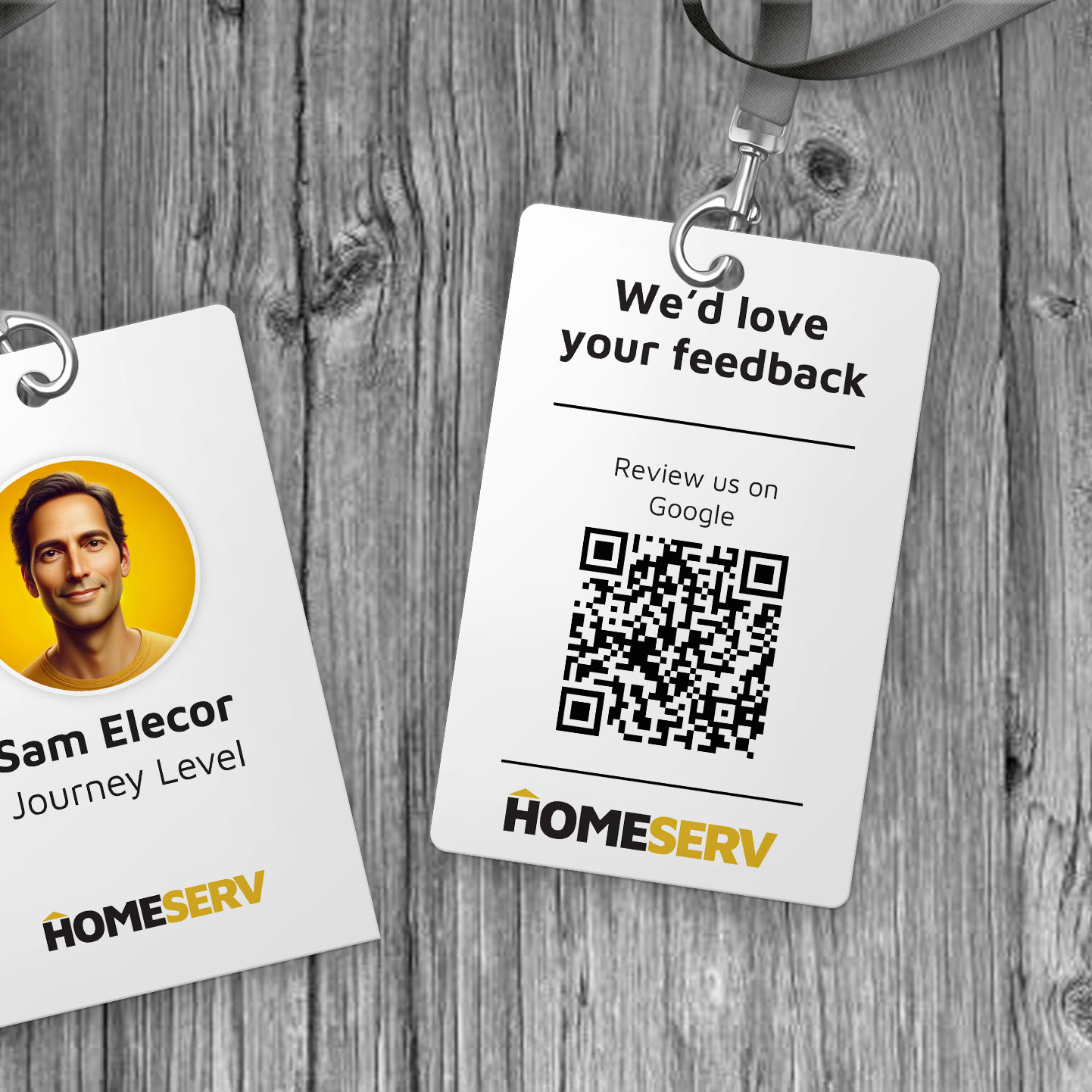
3. Ask every customer, right after the job
This is the strategy that makes the biggest difference. Most happy customers are willing to leave a review, but they won't think to do it on their own.
The best time to ask is right after the job is done, while the experience is still fresh. A short text or email with your review link works well:
"Thanks for choosing us! If you have a minute, we'd really appreciate a quick Google review: [your review link]"
A few things to keep in mind:
- Ask everyone, not just your happiest customers. Only asking people you think will leave a good review is called "review gating," and Google doesn't allow it. Neither does the FTC (more on that below).
- Make it a habit, not a campaign. A steady trickle of reviews every week looks better to customers and to Google than a big burst once a year. Bursts can also trigger Google's spam filters.
- Get permission before texting. Make sure customers have agreed to receive texts from you, and send at a reasonable time of day.
Many CRMs and booking tools can send review requests automatically once a job is marked complete, so you never forget to ask.
4. Reply to every review personally
Whether you get a glowing review or a harsh one, respond to it, ideally within a few days. Thank people for positive reviews, and own up to mistakes in negative ones.
BrightLocal found that 89% of consumers expect owners to reply, and half are turned off by generic, copy-and-paste responses. So skip the canned "Thanks for your review!" and the AI auto-replies. Mention something specific from their review and write like a person.
Replying also shows future customers that you're listening, and it makes your current customers more likely to leave reviews of their own.
5. Train your team to ask
If you have employees, train everyone who works with customers to ask for reviews. Don't assume they'll do it on their own, or that they understand why it matters.
Meet with your team, explain how reviews help the business (and them), and show them exactly where to send people. Then keep it part of your culture by reading new reviews in team meetings and celebrating the people who consistently ask.
One important caution: Reward your team for asking, not for the reviews themselves. Google's policy doesn't allow review quotas, rewarding employees for positive reviews, or telling customers what to write. And employees shouldn't leave reviews for your business themselves.
6. Put your review link everywhere
Once you have your link and QR code, add them anywhere customers already see your name:
- Receipts and invoices: "Loved working with us? Leave us a Google review!"
- Email signature: A simple "Review us on Google" link below your name
- Thank-you postcards: Personalize them with the customer's name and what they bought, and include your QR code
- Signs, vehicles, and business cards: Anywhere a customer might scan a QR code
7. Show off your reviews
Don't let your Google reviews live only on Google.
On your website, reviews build credibility and show visitors that real people have had great experiences with you. You can use a widget or plugin that automatically displays your latest Google reviews. If you're on WordPress, check out this free plugin for displaying Google reviews.
On social media, sharing a great review on Facebook, Instagram, or LinkedIn shows prospects that you've solved problems for people just like them. It also reminds your current customers that you read every review, which encourages them to leave one too.
8. Don't rely on Google alone
Google is still the biggest review site by far, but it's losing ground. According to BrightLocal, the share of consumers who use Google to check reviews fell from 83% to 71% in a single year, while Apple Maps and AI tools like ChatGPT are growing fast.
AI tools build their recommendations from reviews and information across the web. Keep your profiles on Apple Maps (through Apple Business Connect), Yelp, Facebook, and any industry-specific review sites up to date, so you show up wherever your customers are looking.
9. Know what not to do
The rules around reviews have gotten much stricter. In late 2024 the FTC's Consumer Review Rule went into effect, and the FTC has since started warning companies that break it, with steep fines per violation. Google has also gotten better at spotting and removing reviews that break its policies.
To stay safe, never:
- Buy reviews, or pay someone to write them
- Offer discounts, freebies, or entries into a giveaway in exchange for a review
- Only ask customers you expect to be happy (review gating)
- Have employees, friends, or family post reviews
- Post fake or AI-written reviews
- Pressure or threaten customers into changing or removing a negative review
Breaking these rules can get your reviews removed, your profile restricted, or worse. The good news? None of them are necessary if you consistently ask real customers.
Start getting more Google reviews today
Getting more Google reviews isn't complicated. Give great service, make it easy to leave a review, and ask every customer, every time. Do that consistently and the reviews will follow.
Need a hand? Create a free review card with our review card generator, or get in touch and we'll help you set up a review process that runs on autopilot.
