
If your website has ever been hacked, slowed to a crawl, turned out to have no working backup, or brought you a letter from a lawyer about accessibility, you already know the boring stuff isn't optional. It's the part nobody sees, and it decides whether your website keeps bringing in customers or quietly turns into a problem.
Your website is the hub
Picture your website as the hub of a wheel. The hub is the part your customers see: your services, your photos, the button that says call now. Behind it, seven smaller wheels turn all the time: security, backups, speed, caching, plugins, accessibility and technical SEO. When they turn, the hub turns. When one stops, you usually find out the hard way.
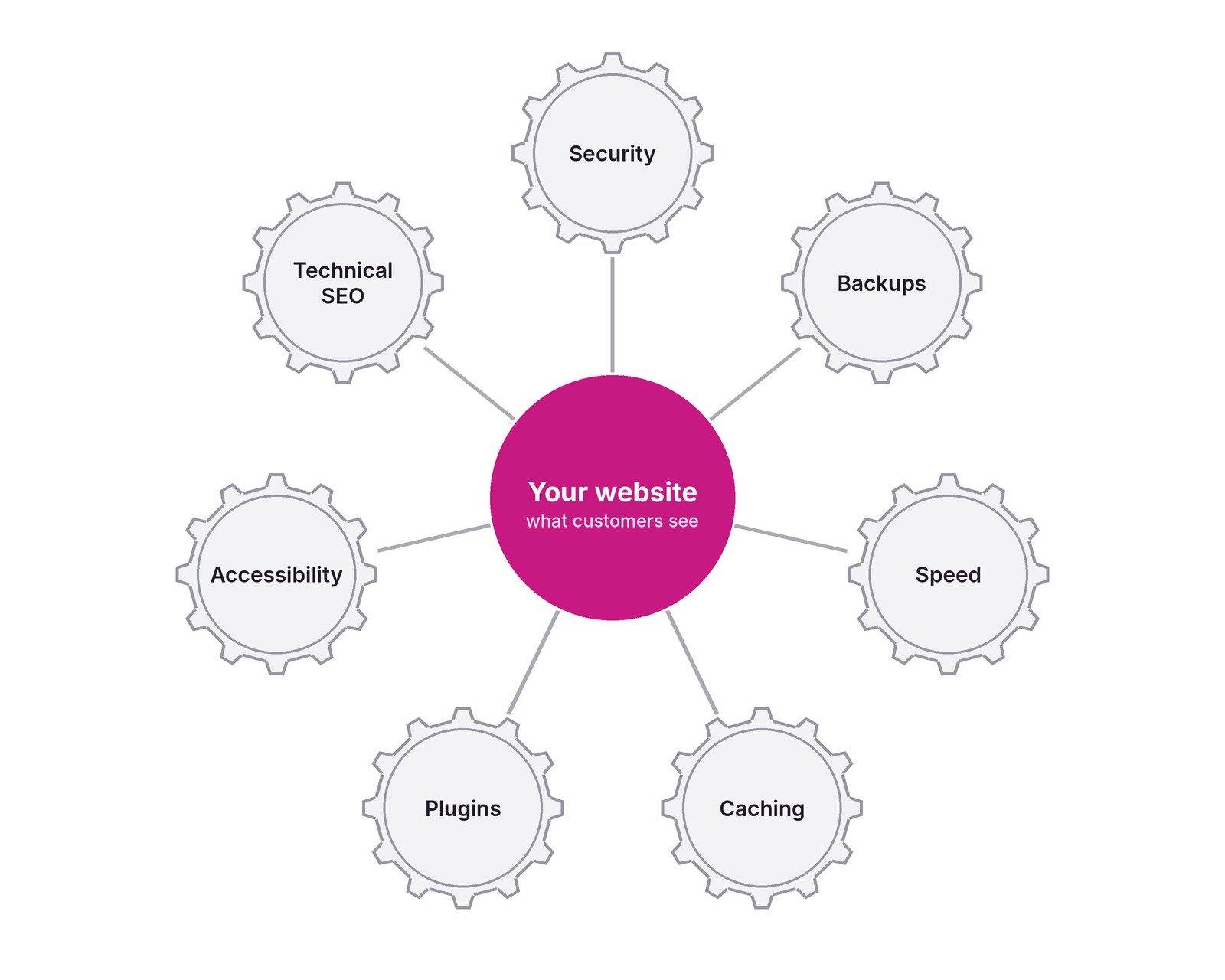
Every one of these wheels runs behind the scenes. You shouldn't have to think about any of them, and with us you don't.
If you've been burned before, it wasn't bad luck
Most of the website disasters we hear about from new clients weren't freak accidents. A site got hacked because nobody had updated it in a year. It got slow because plugin after plugin was piled on. The backup failed because nobody had checked it, or it lived on the same server that went down. The legal letter came because nobody had asked whether a person using a screen reader could fill out the contact form.
Each of those is a wheel that stopped turning. Here is how we keep each one moving.
Security: updates every week, urgent fixes right away
WordPress and the plugins that run on it get security fixes all the time. Most hacks come through software that had a fix available and simply wasn't updated. We update the sites we look after every week, and we watch for serious security problems every day. When one of those affects a site we manage, we patch it right away instead of waiting for the next weekly round.
We wrote more about why this matters so much right now in WordPress Security in 2026.
Backups: every day, on the server
A backup only matters on the worst day you'll ever have with your website. Your site is backed up every day on the server it lives on. If something breaks, gets deleted or gets hacked, we roll it back to a recent copy instead of rebuilding from scratch. You don't have to figure out where the backup is or how to use it. That's our job.
Speed: a fast site keeps the customer
People leave slow websites, especially on their phones. Speed comes from a lot of small decisions: images sized for the screen they show on, no code that doesn't need to be there, and hosting that can keep up. We make those decisions when we build the site, because a site rarely gets slow all at once. It gets slow a little at a time, one heavy image or extra plugin after another.
Caching: pages ready before anyone asks
Caching is one of the biggest reasons a site feels fast. Without it, your website builds every page from scratch each time someone visits. With it, the site keeps a ready-made copy and hands it over right away. Think of a restaurant that preps before the dinner rush instead of starting every order from raw ingredients. We set caching up so it speeds things up without getting in your way, and your changes still show up when you make them.
Plugins: fewer, better and chosen carefully
Plugins add features to a WordPress site, and they're also where most trouble starts. Anyone can publish one. Some get abandoned. Some are built carelessly. We only use high-quality plugins with a good track record, and only as many as the site needs. Every plugin we leave out is one less thing that can break or be broken into.
Accessibility: a site everyone can use
Accessibility means people with disabilities can use your website: someone using a screen reader, someone who can't use a mouse, someone who needs stronger contrast to read the text. It's the right thing to do, and it protects you. Businesses receive demand letters and lawsuits every year over websites that people with disabilities can't use.
We build with accessibility in mind from the start. That means readable color contrast, images described for screen readers, menus and forms that work with a keyboard, and headings that make sense when read aloud.
Technical SEO: making sure Google can read your site
Good content only helps if search engines can find it and understand it. Technical SEO is the plumbing behind that. It includes a sitemap that tells Google what's on your site, page titles and descriptions that match what people search for, structured data that tells Google your business name, location and hours, and redirects so old links keep working when pages move. We set all of it up when we build and keep it intact as the site changes.
What this means for you
You don't need to know what any of this is called. You need a website that stays up, stays fast, stays safe and keeps the phone ringing. The boring stuff is where most of that happens, and it's the part we take most seriously.
If your current site has given you trouble, or you're not sure anyone is minding these wheels, let's talk. Tell us what happened, and we'll tell you plainly what we'd do about it.
Credits
- Concept & prompt
- Jeremy Ross
- Writing
- Claude (Anthropic AI)
- Diagram & featured image
- Claude (Anthropic AI)
- Review & approval
- Jeremy Ross
The prompt
Write an article about how we handle the boring stuff on websites for our clients. Security, performance, choosing only the highest quality plugins, accessibility, backups, caching, technical SEO. Visualize the website as the hub and all of these wheels running behind the scenes. Write this for clients who aren't technical, but may have been impacted by a company that didn't take care of these things in the past. They were hacked, site started slowing down, could restore from backup, was sued for noncompliance. Resist the urge to get too technical but make sure people know we have the technical stuff handled
